Inside KezKit One · Business Tools
Give people a reason—and a place—to come back.
Build an offer around access, useful content or community. Explain the benefits clearly, give members an account area and let authorised staff help in person.
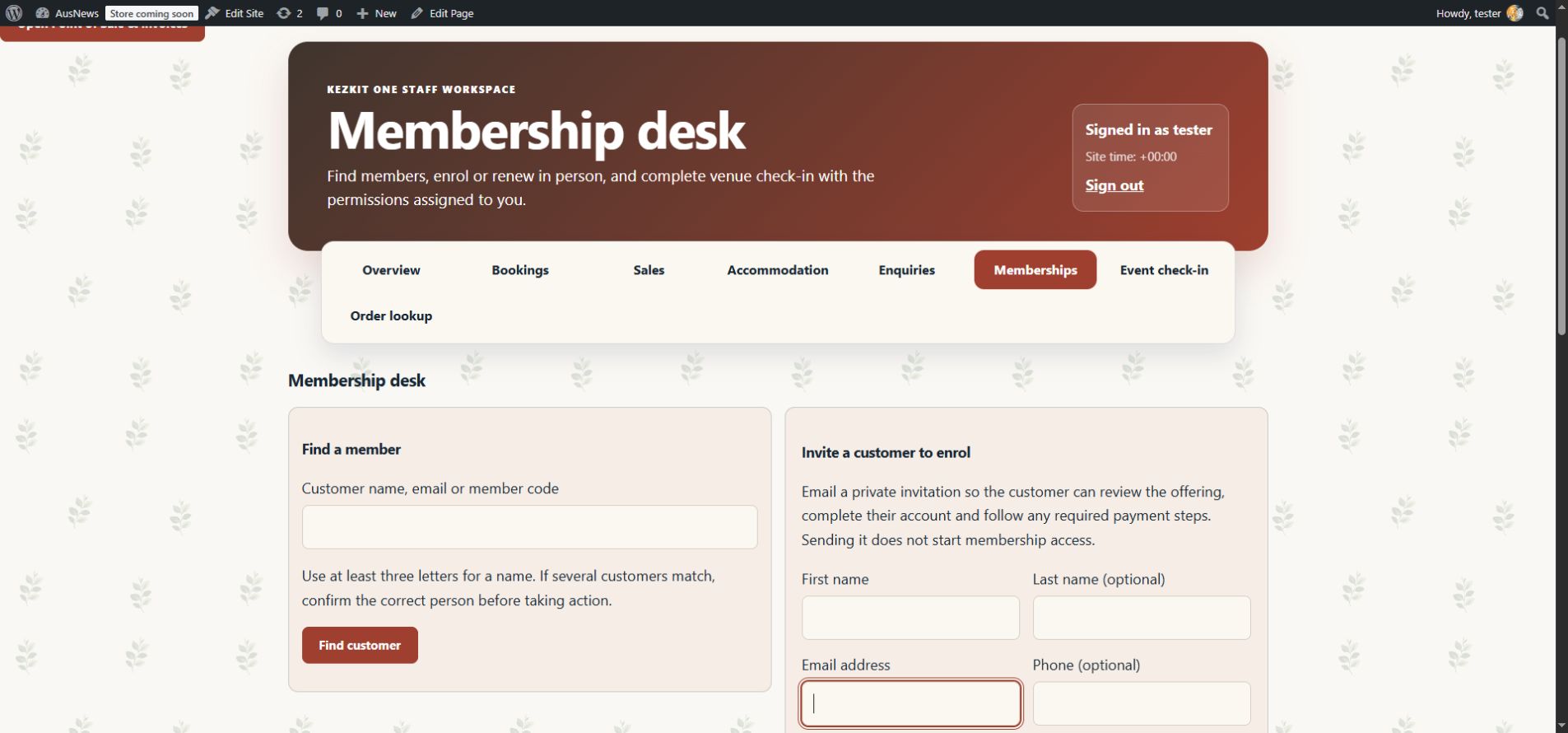
What you can do
- Define membership tiers, benefits, joining routes and access rules.
- Protect member-only pages and downloads.
- Support staff-assisted enrolment, renewal and venue check-in.
- Use free, fixed-term, one-payment or supported recurring membership arrangements.
Direct recurring memberships use supported Stripe Billing, PayPal Subscriptions or Square Subscriptions connections. One-off paid membership checkout uses WooCommerce. Provider accounts, setup and processing charges are separate.
Start with the part your business needs.
Configure the essentials
Use your real business details and the tool’s setup guidance. Keep administrator settings separate from staff work.
Try the customer journey
Check the public action, the resulting record and the permitted staff or customer view before relying on it.
Bring it into daily work
Give your team the access they need and keep important confirmations, changes and follow-up in the right workspace.
One connected foundation
Make your next website work harder for your business.
Start with your brand. Add the tools your customers and team need. Keep your pages editable, on your own WordPress website.