Inside KezKit One · Business Tools
Give customers a clearer way to find time with you.
Let your website reflect your working week. Use appointment requests when a conversation needs review, and bookable services when customers can choose from real availability.
What you can do
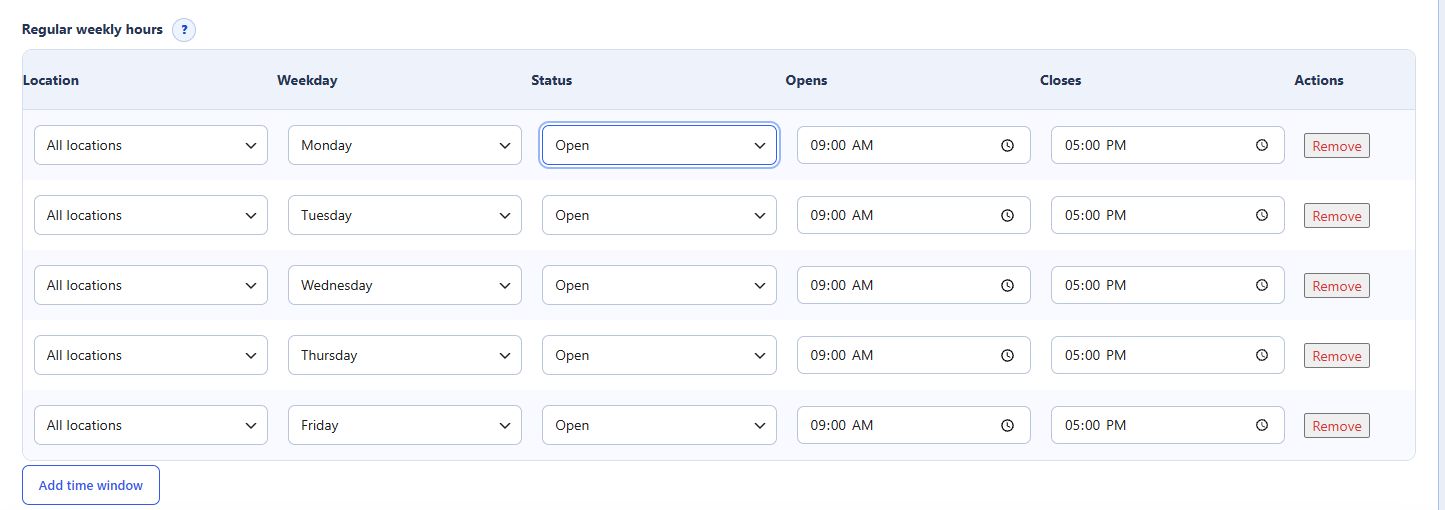
- Configure services, duration, prices, locations and weekly working windows.
- Set split hours and block unavailable time.
- Accept, decline or suggest a different time for an appointment request.
- Let authorised staff add phone and walk-in bookings to the shared schedule.
A preferred appointment window is a request, not a confirmed booking. Paid service deposits or full online payment require WooCommerce checkout and a configured payment provider.
Start with the part your business needs.
Configure the essentials
Use your real business details and the tool’s setup guidance. Keep administrator settings separate from staff work.
Try the customer journey
Check the public action, the resulting record and the permitted staff or customer view before relying on it.
Bring it into daily work
Give your team the access they need and keep important confirmations, changes and follow-up in the right workspace.
One connected foundation
Make your next website work harder for your business.
Start with your brand. Add the tools your customers and team need. Keep your pages editable, on your own WordPress website.