Inside KezKit One · Business Tools
Give each property the space to tell its story.
Bring listing presentation, agent information and enquiries together. Help prospective buyers or tenants understand the property before they ask for the next step.
What you can do
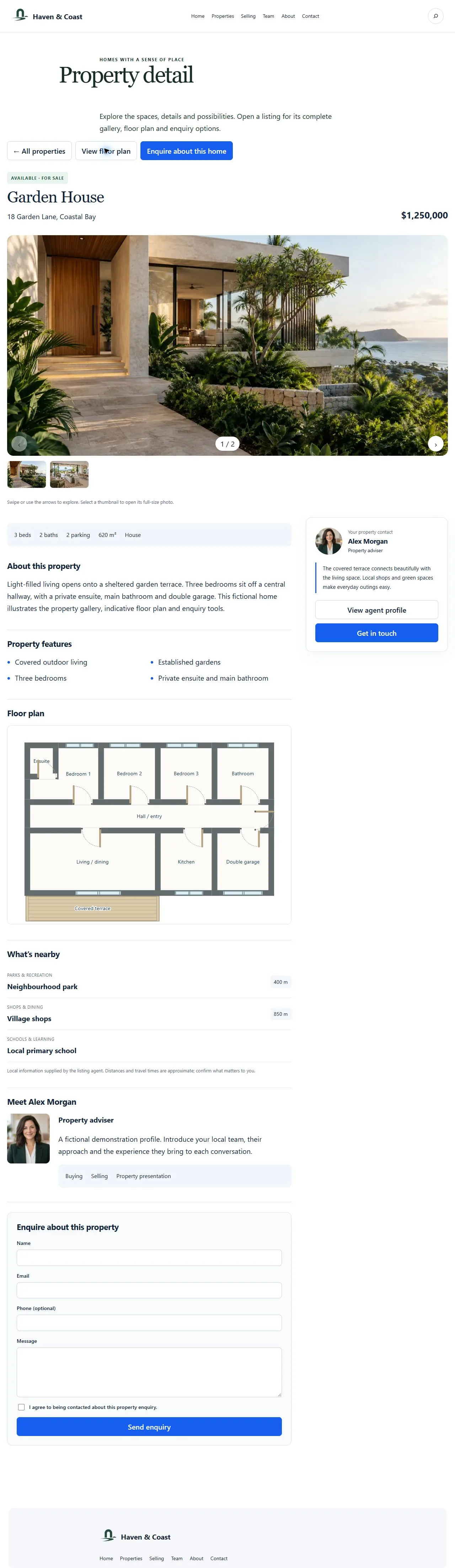
- Present property photographs, floor plans, features and practical listing details.
- Connect listings with agent profiles and clear enquiry routes.
- Use seller, buyer and inspection guide pages alongside your properties.
- Manage property records separately from ordinary marketing pages.
This is property advertising and enquiries, not rent collection, tenancy administration or a property-payment gateway. AI drafts do not create verified listings or legal advice.
Start with the part your business needs.
Configure the essentials
Use your real business details and the tool’s setup guidance. Keep administrator settings separate from staff work.
Try the customer journey
Check the public action, the resulting record and the permitted staff or customer view before relying on it.
Bring it into daily work
Give your team the access they need and keep important confirmations, changes and follow-up in the right workspace.
One connected foundation
Make your next website work harder for your business.
Start with your brand. Add the tools your customers and team need. Keep your pages editable, on your own WordPress website.